OTTM Merch › Planning Center
Works with Planning Center

Shirt orders, straight from Planning Center.
Connect your church’s Planning Center to the free OTTM order portal. Your camps, retreats and VBS show up on their own, one click starts a shirt order with the name and date filled in, and we count the sizes from your sign-ups.
Why connect it
Your events are already in Planning Center. Why type them twice?
Remembering to order camp shirts until it’s two weeks too late.
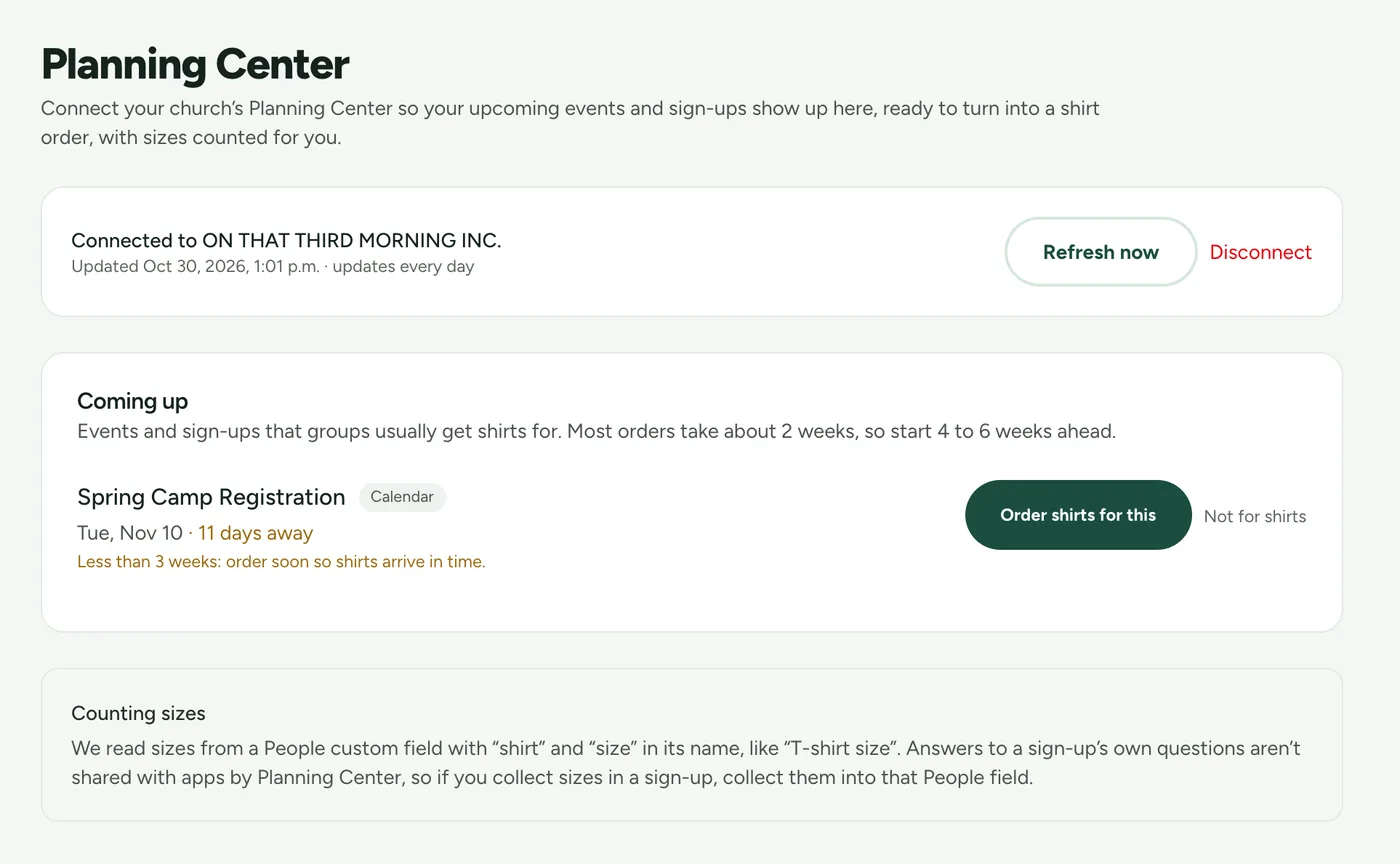
Now Upcoming events appear in the portal with how many days are left, so you order in time.
Exporting a sign-up list and tallying sizes in a spreadsheet.
Now We count shirt sizes from your People field and show you the totals.
Retyping the event name, the date and the head count into an order form.
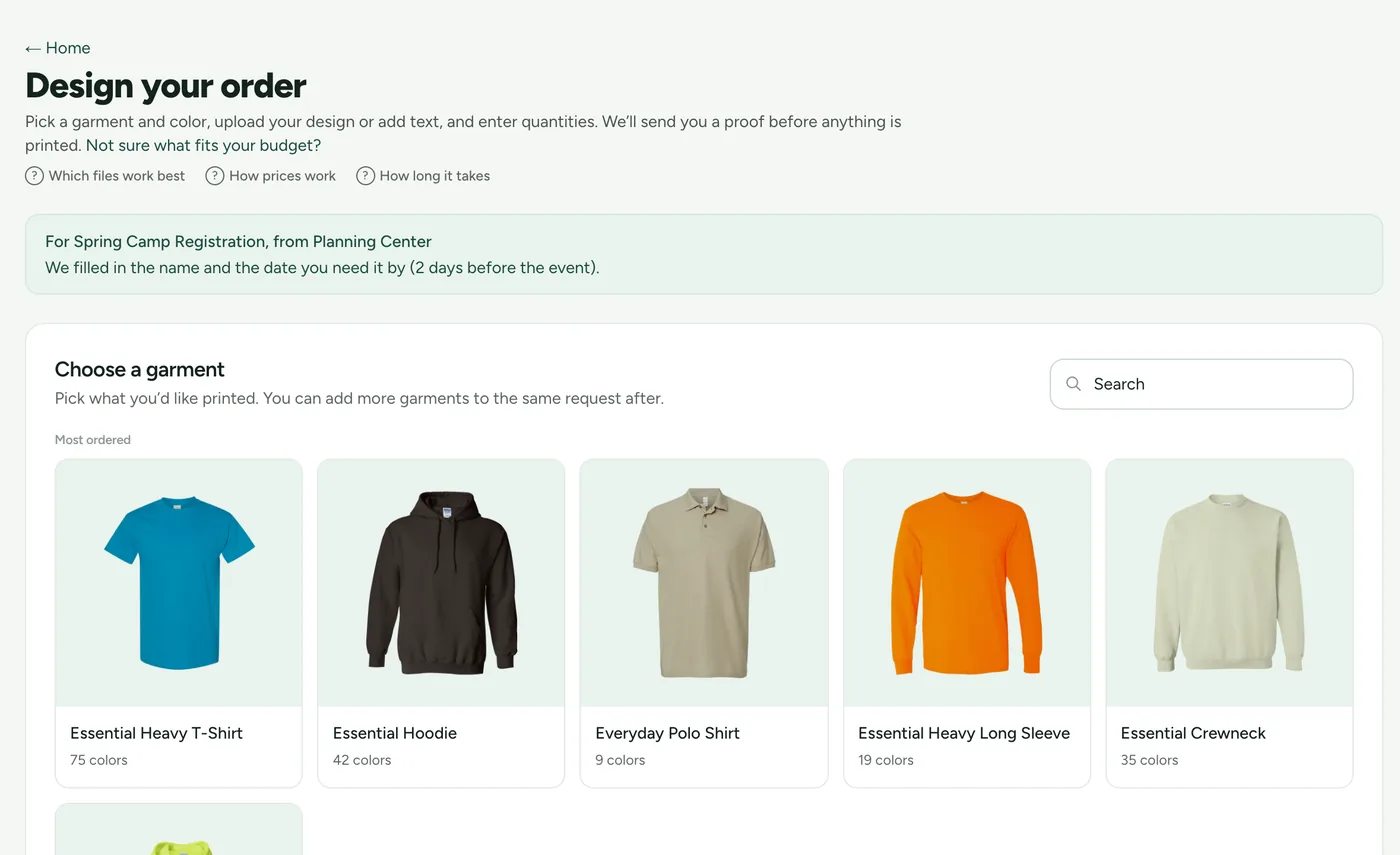
Now One click starts the order with the name and the needed-by date filled in.
How it works
Connect once, order in a click.
Create your free OTTM account
Two minutes, no subscription and no setup fee. You can also sign in with Planning Center.
Connect Planning Center
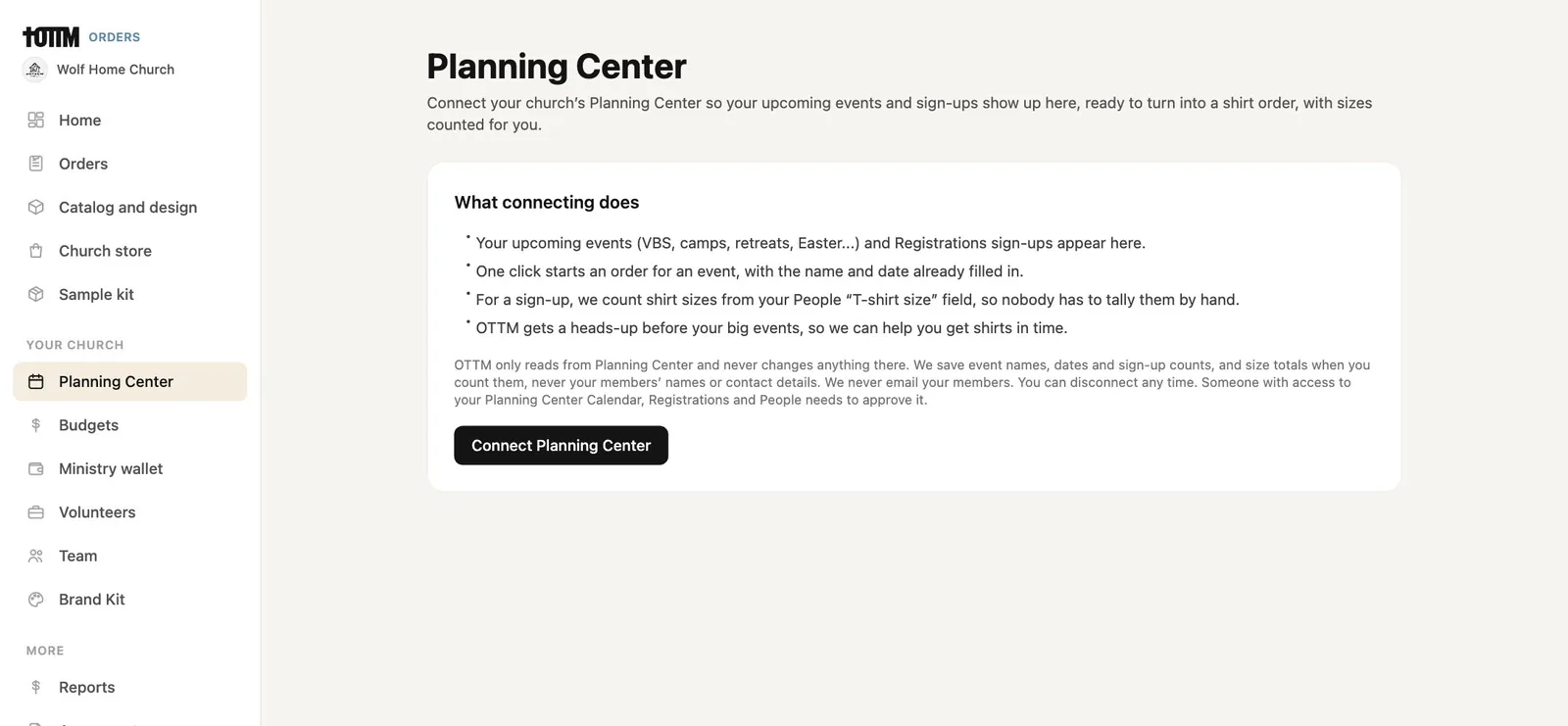
Open Planning Center in the portal and click Connect. Planning Center asks someone with access to your Calendar, Registrations and People to approve.
Your events show up
Camps, retreats, VBS and other events that groups usually get shirts for appear under Coming up, with sign-up counts. The list refreshes every day, or any time with Refresh now.
Click Order shirts for this
The order opens with the event name and a needed-by date filled in. Pick a garment, add your design and we send you a proof and estimate.
From event to order
The busywork is already done.
Your data
Read only, and only what we need.
OTTM never changes anything in your Planning Center account and never emails your members. We save event details and totals, never people.
We read sizes from a People custom field with “shirt” and “size” in its name, like “T-shirt size”. Answers to a sign-up’s own questions aren’t shared with apps by Planning Center, so if you collect sizes in a sign-up, collect them into that People field.
- CalendarYour upcoming events: name, date and location.
- RegistrationsYour sign-ups and how many people have registered.
- PeopleOnly the T-shirt size field, to count sizes. Names are used for a moment to match people to their sizes, then discarded.
- What we saveEvent names, dates, locations, sign-up counts and size totals. Never your members’ names, emails or contact details.
- DisconnectingDisconnect in the portal or from Integrations in your Planning Center settings. We revoke access and delete the events we saved. Read our privacy policy.
Does the Planning Center integration cost anything?
No. The portal and the integration are free for every church. You only pay for the shirts you order.
Which Planning Center products does it use?
Calendar for your upcoming events, Registrations for your sign-ups and counts, and People for the T-shirt size field. Someone with access to all three approves the connection.
Does OTTM change anything in Planning Center?
No. The connection is read only. We never create, edit or delete anything in your Planning Center account, and we never email your members.
Do you store our members' names?
No. We save event names, dates, locations, sign-up counts and size totals. When we count sizes, names are used for a moment to match people to sizes and then discarded.
How do sizes get counted?
Add a People custom field with "shirt" and "size" in its name, like "T-shirt size". Planning Center doesn't share answers to a sign-up's own questions with apps, so collect sizes into that People field.
Which events show up?
Upcoming events that groups usually get shirts for, like camps, retreats, VBS and conferences. Mark any event Not for shirts to hide it.
How do we disconnect?
Click Disconnect on the Planning Center page in the portal, or remove OTTM from Integrations in your Planning Center settings. Disconnecting in the portal revokes our access and deletes the events we saved.
Do we need Planning Center to order?
No. Any church, school or camp can use the portal without it. Planning Center just saves you the typing.
Free to start
Your next camp shirts, straight from Planning Center.
Create your free account, connect Planning Center and see your upcoming events in minutes. Questions first? David will call you back himself.